Before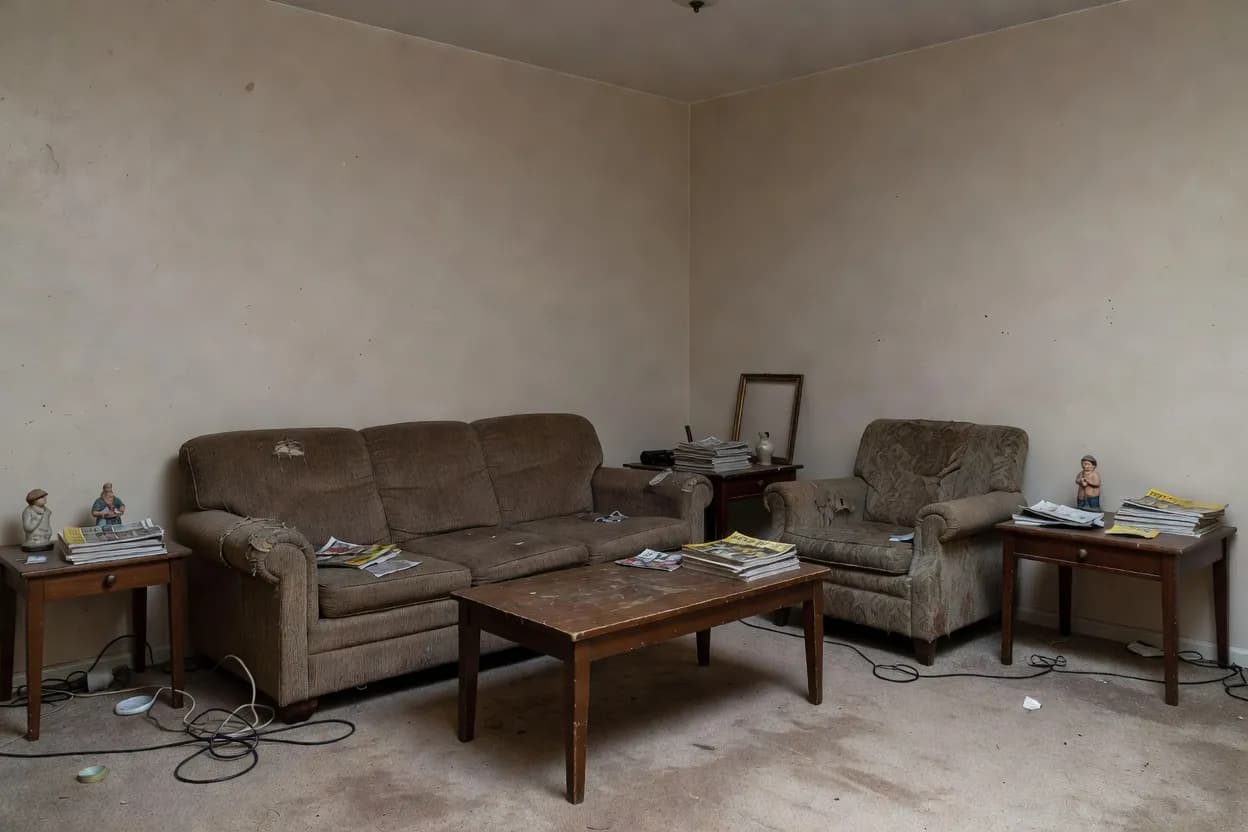
After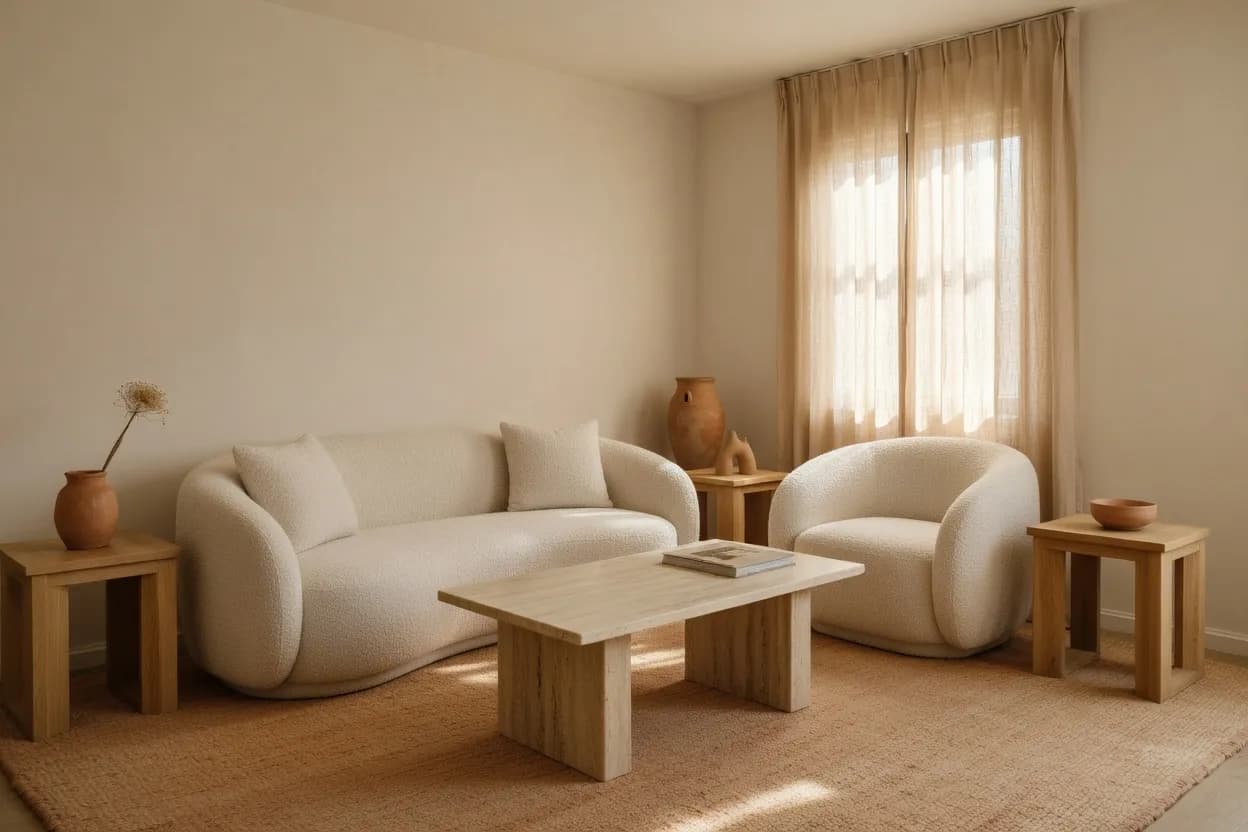
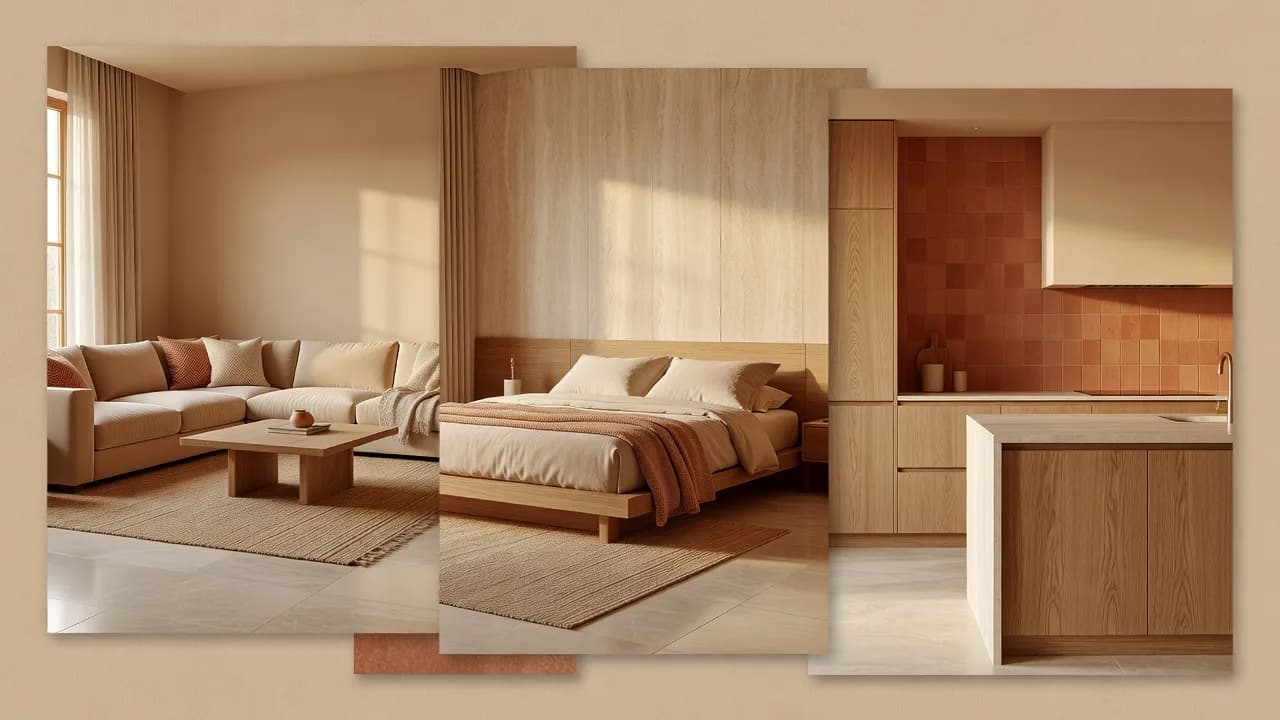
Project 01Living RoomWarm Minimal
AI Living Room Design
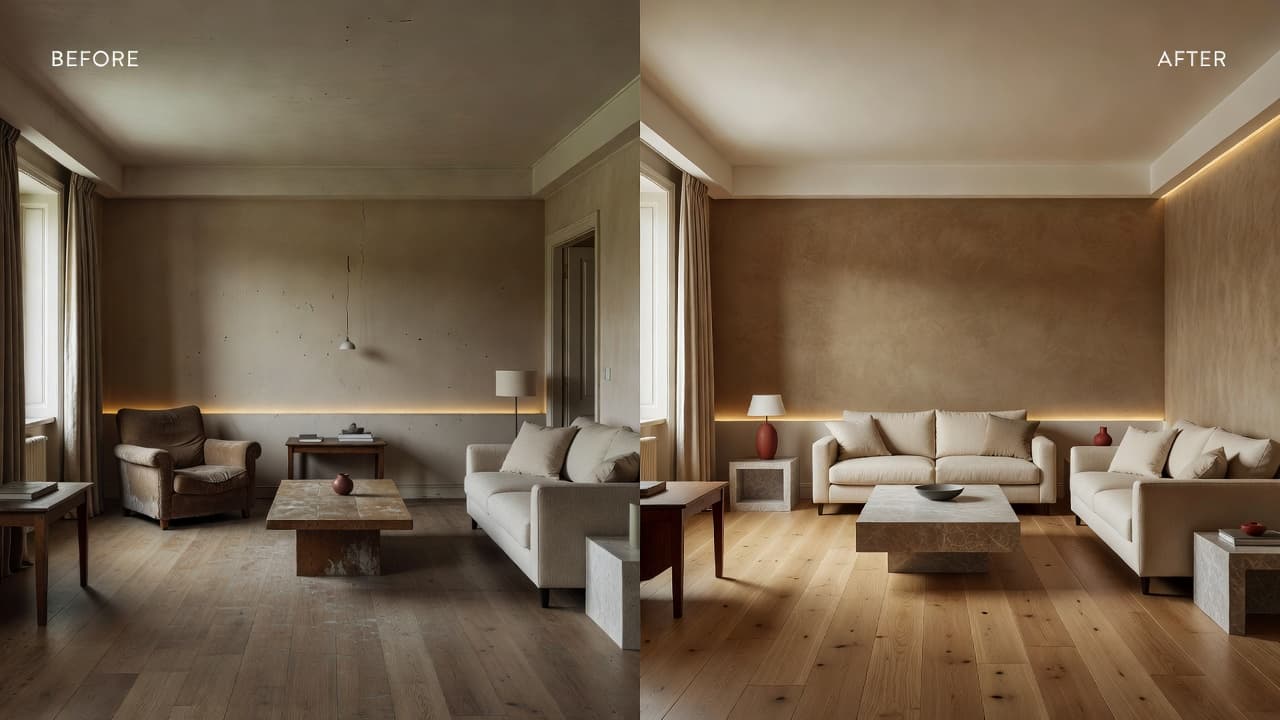
A tired living room reworked around a low linen sofa, a stone coffee table and soft indirect light along the wall.
Material direction · Oak · linen · stone
AI-Powered Spatial Design
DecorAI is an AI Interior Design App that transforms room photos into personalized interior concepts, furniture inspiration, decor ideas, and before-and-after room makeovers. Use DecorAI on iPhone, Android, or directly in your browser.
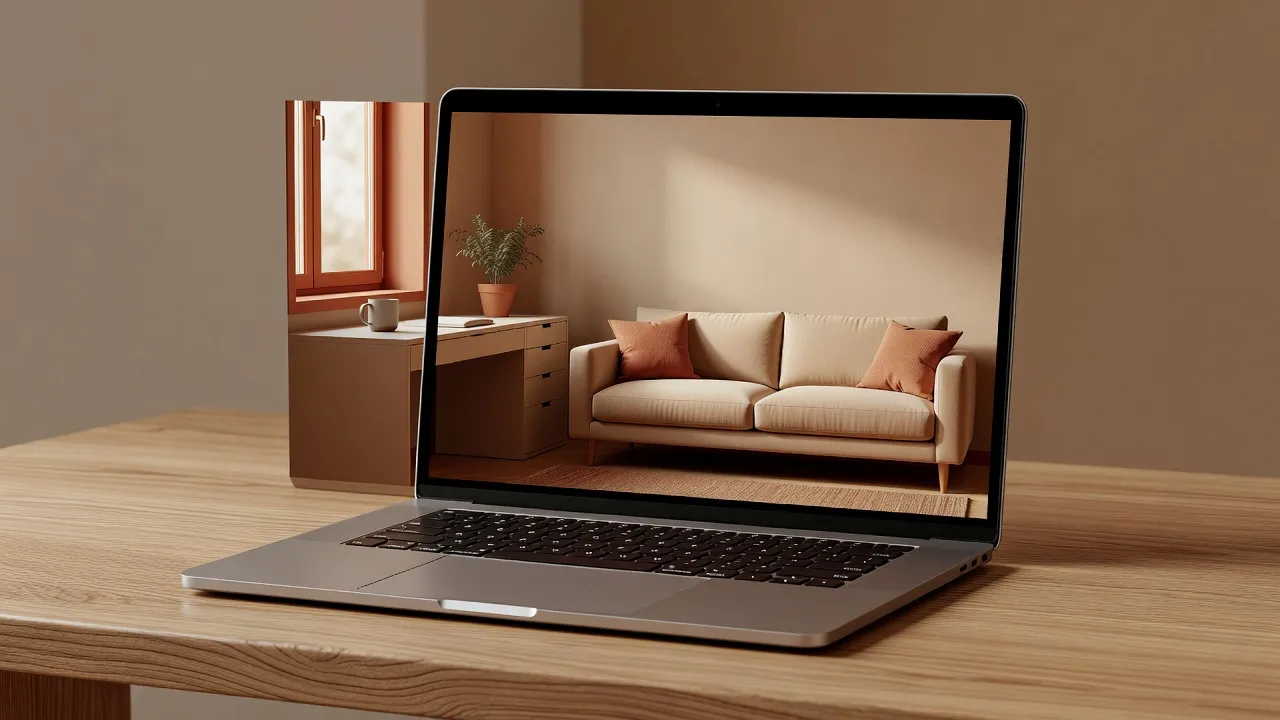
DecorAI is an AI interior design app for iPhone, Android, and Web. Users upload a room photo, choose an interior style, and generate personalized room design concepts, furniture inspiration, decor ideas, and before-and-after makeovers. DecorAI is intended for visual inspiration and early-stage room planning.
As an AI room design app it redesigns one space at a time; as an AI home design app it carries a single direction across several rooms; and as an AI room makeover app it produces the before-and-after view that makes decisions easier.
On AI-Architecture.app, AI architecture refers to visual spatial concepts, interior architecture inspiration, room composition, material direction, and design visualization. DecorAI does not create certified plans, structural calculations, technical drawings, or permit-ready construction documents.
Think of it as the visual half of architecture: how a room is composed, how light falls, and how materials sit together. It is where an idea begins, long before anyone measures or builds.
Most inspiration platforms show you someone else’s home — a room with different proportions, light and windows than yours. DecorAI works the other way around. It starts from your own room photo and redesigns that exact space, so the ideas you see are grounded in the walls you actually live with.
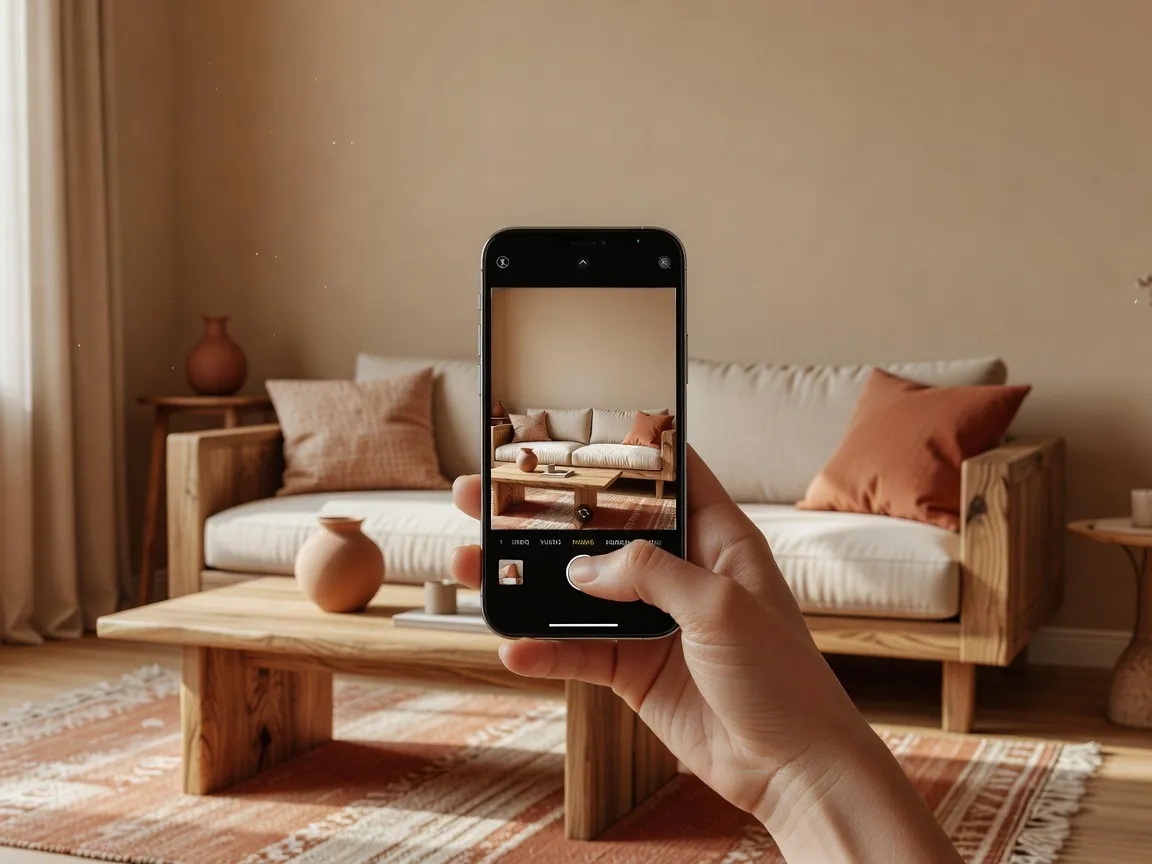
Your real space, exactly as photographed.
A direction chosen for the room and mood.
A redesigned interior generated from your photo.
A second direction for honest comparison.
The concepts worth keeping for later.
Take or upload a clear photo of the room you want to redesign.
Choose a room type, interior style, and design goal.
DecorAI creates an AI-powered room transformation based on the source photo.
Review the result, test another style, and save the concepts that fit your vision.
DecorAI works as an AI Room Makeover App by generating before-and-after room concepts from real photos. These concepts help you compare design directions before making furniture, decor, or renovation decisions — six real room types, each redrawn around considered materials.
A tired living room reworked around a low linen sofa, a stone coffee table and soft indirect light along the wall.
Material direction · Oak · linen · stone
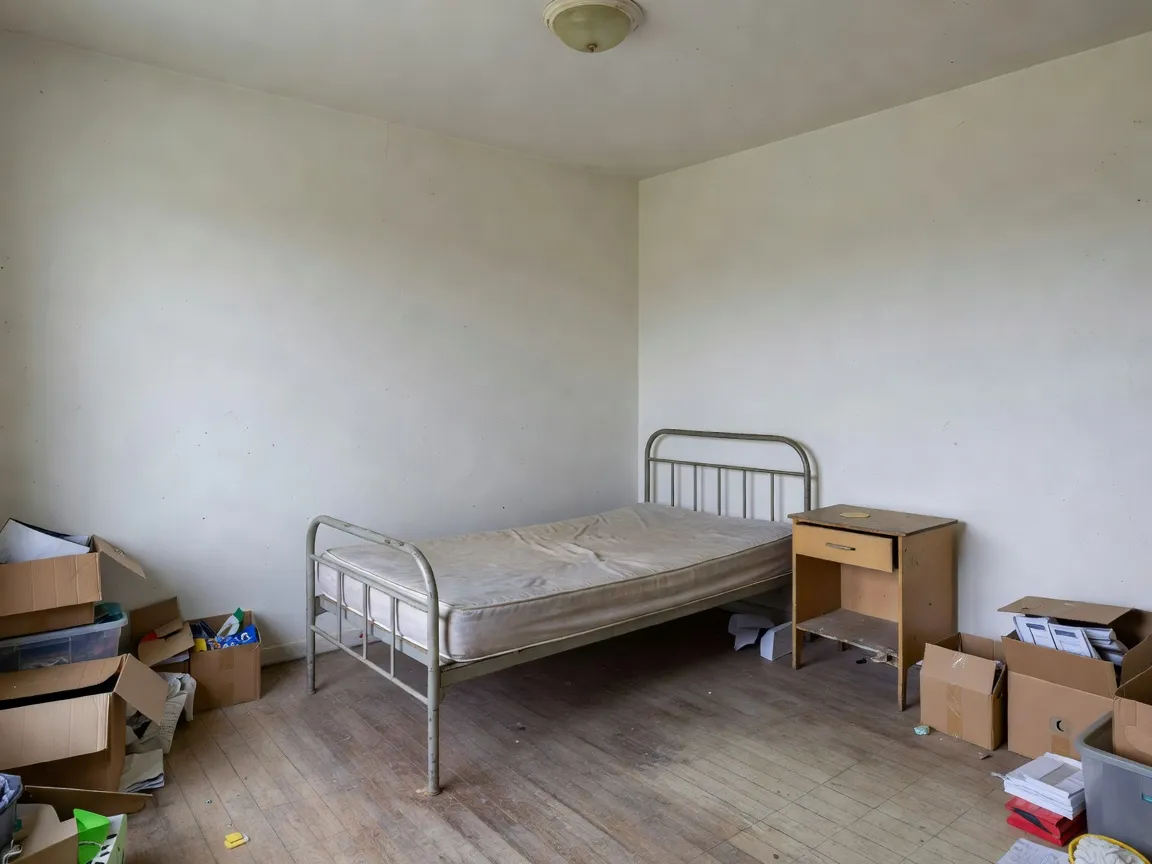
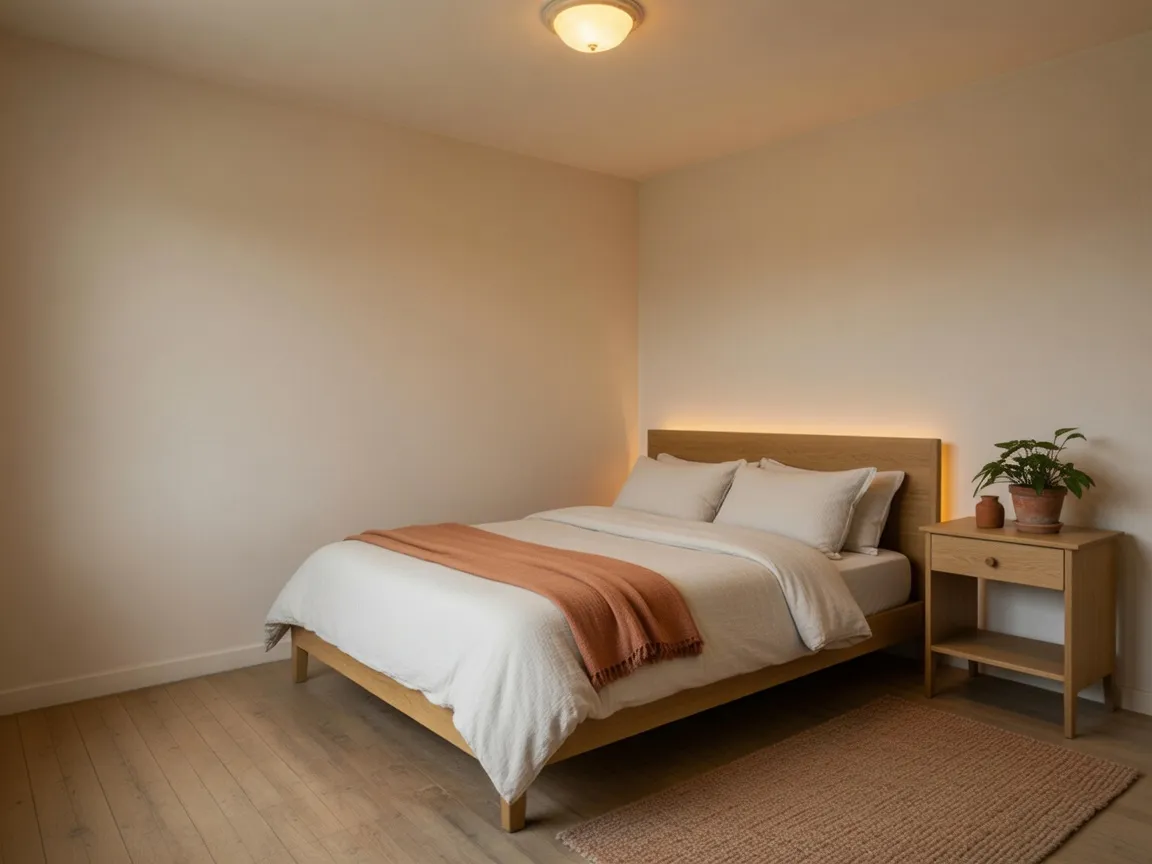
Plaster walls, a low timber bed and sculptural bedside lighting turn a plain bedroom into a restful retreat.
Material direction · Lime plaster · timber · linen
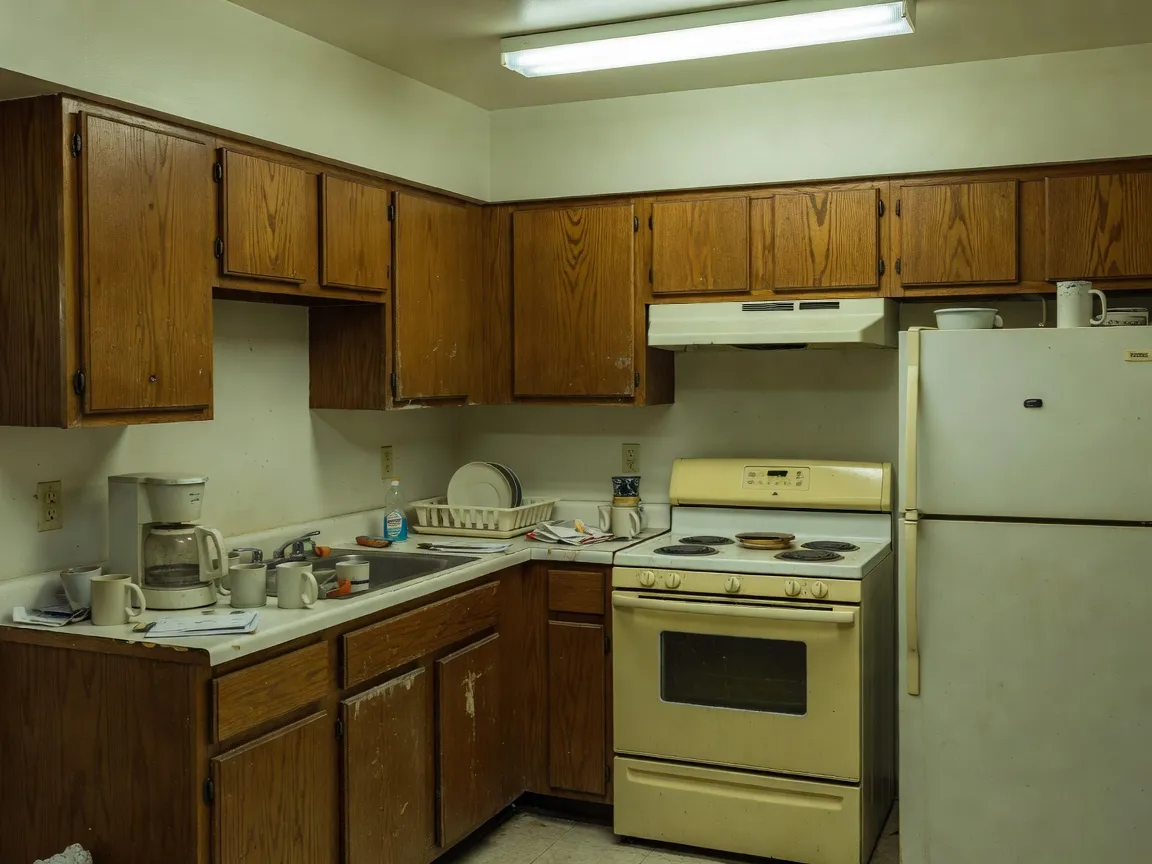
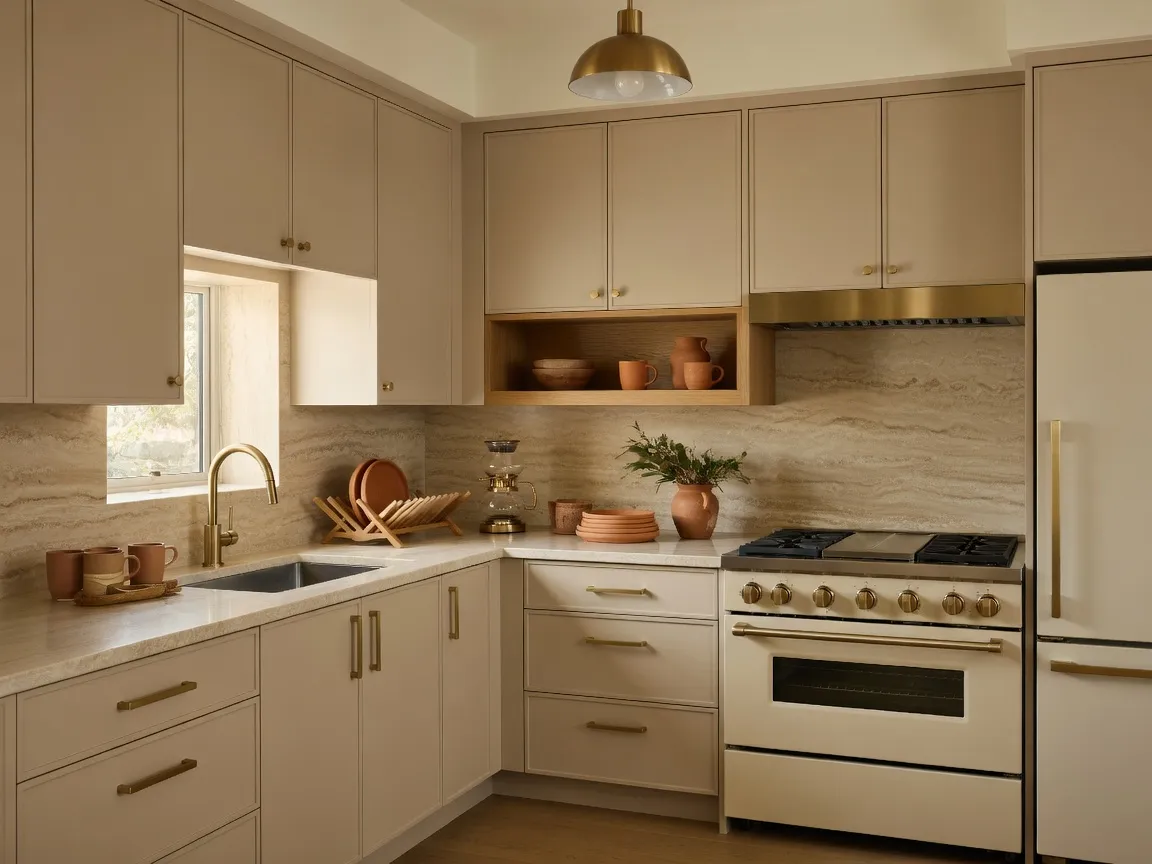
An oak-and-stone island with integrated lighting reimagines a dated kitchen as a warm, gathered space.
Material direction · Natural stone · oak · matte hardware
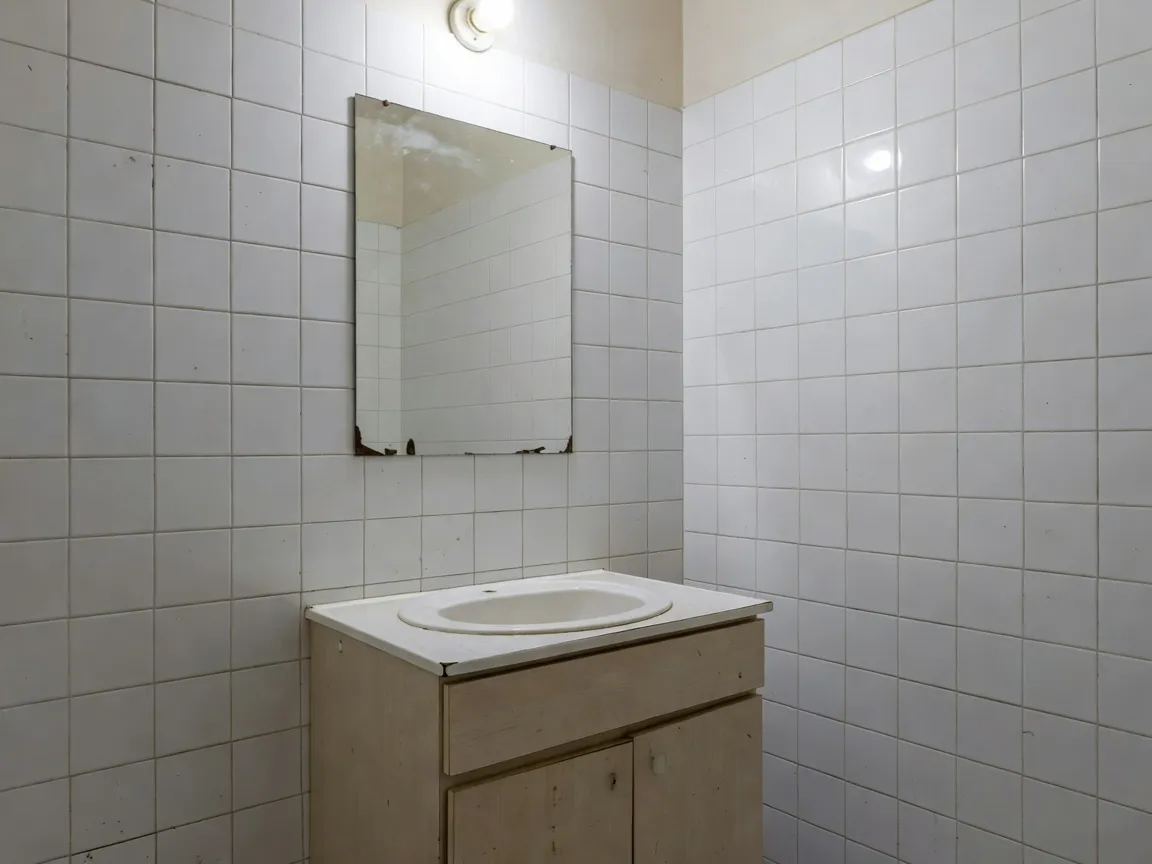
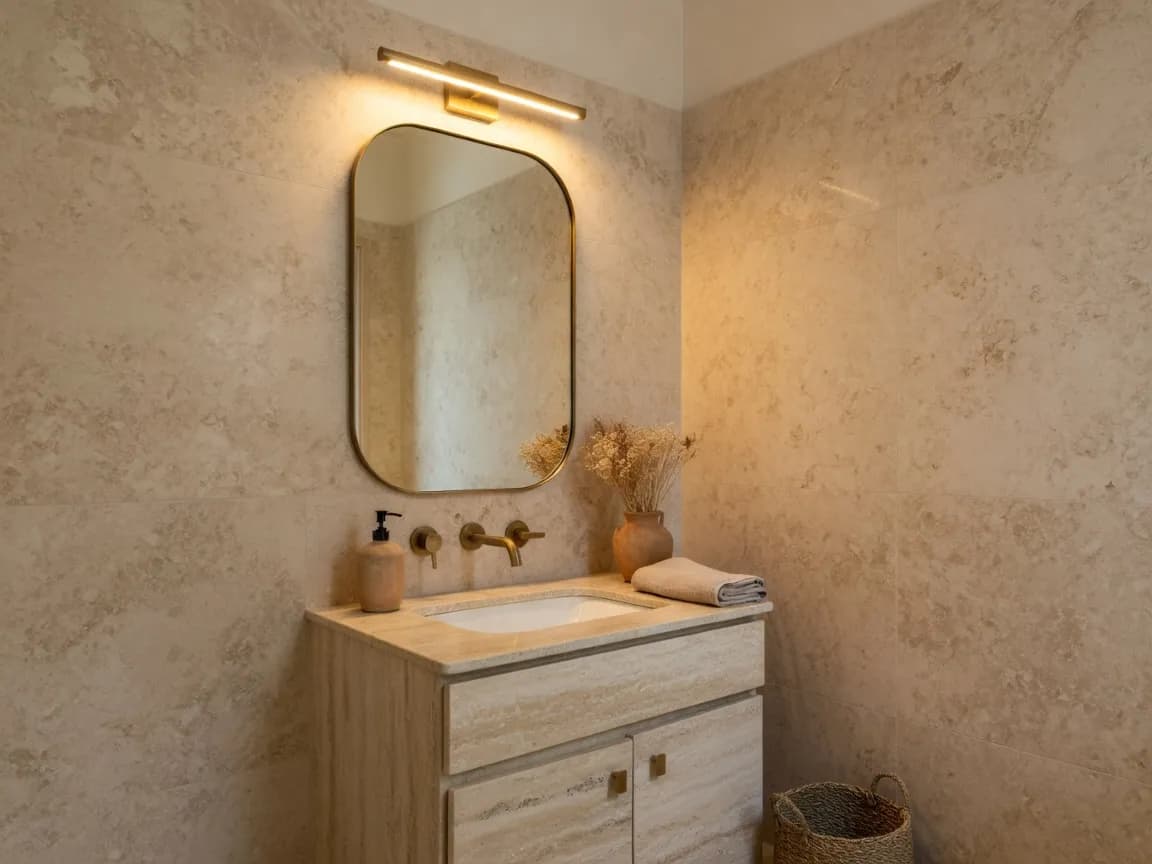
Limestone, a floating vanity and integrated mirror lighting bring a calm, spa-like feel to a compact bathroom.
Material direction · Limestone · plaster · brushed metal
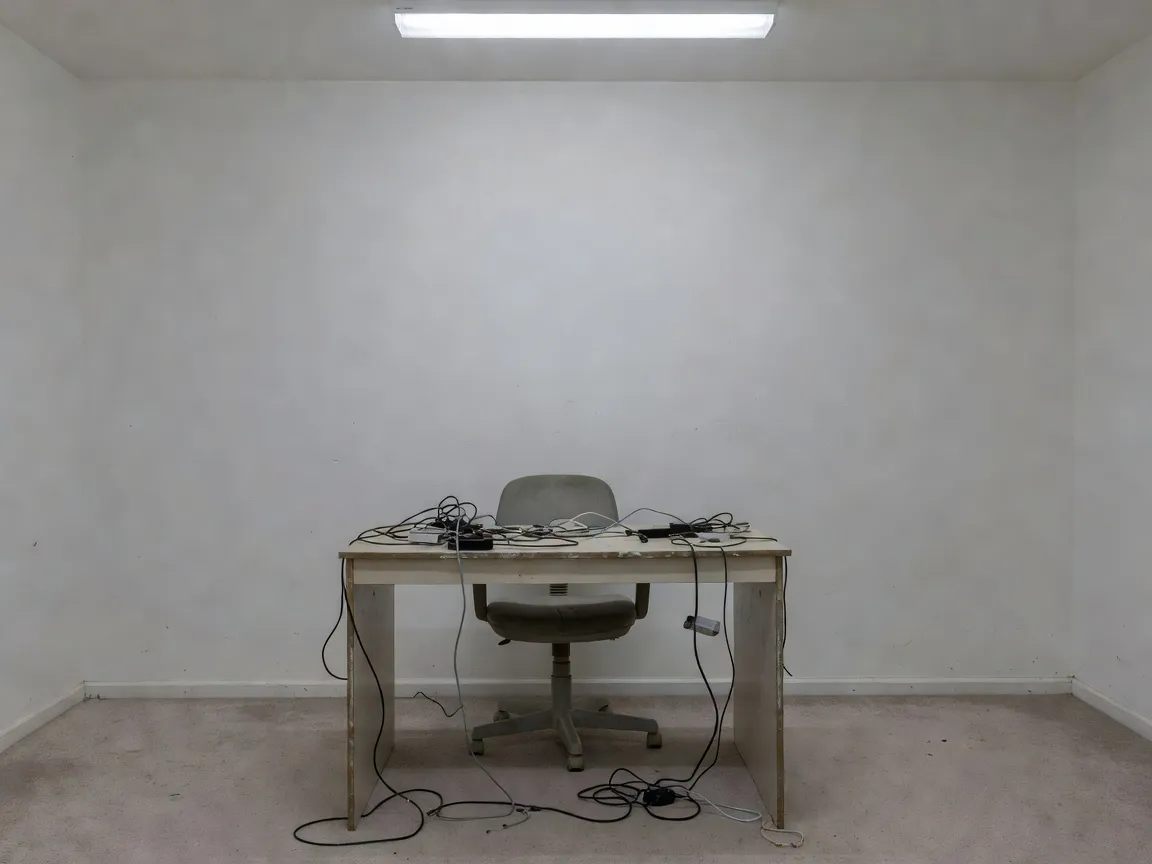
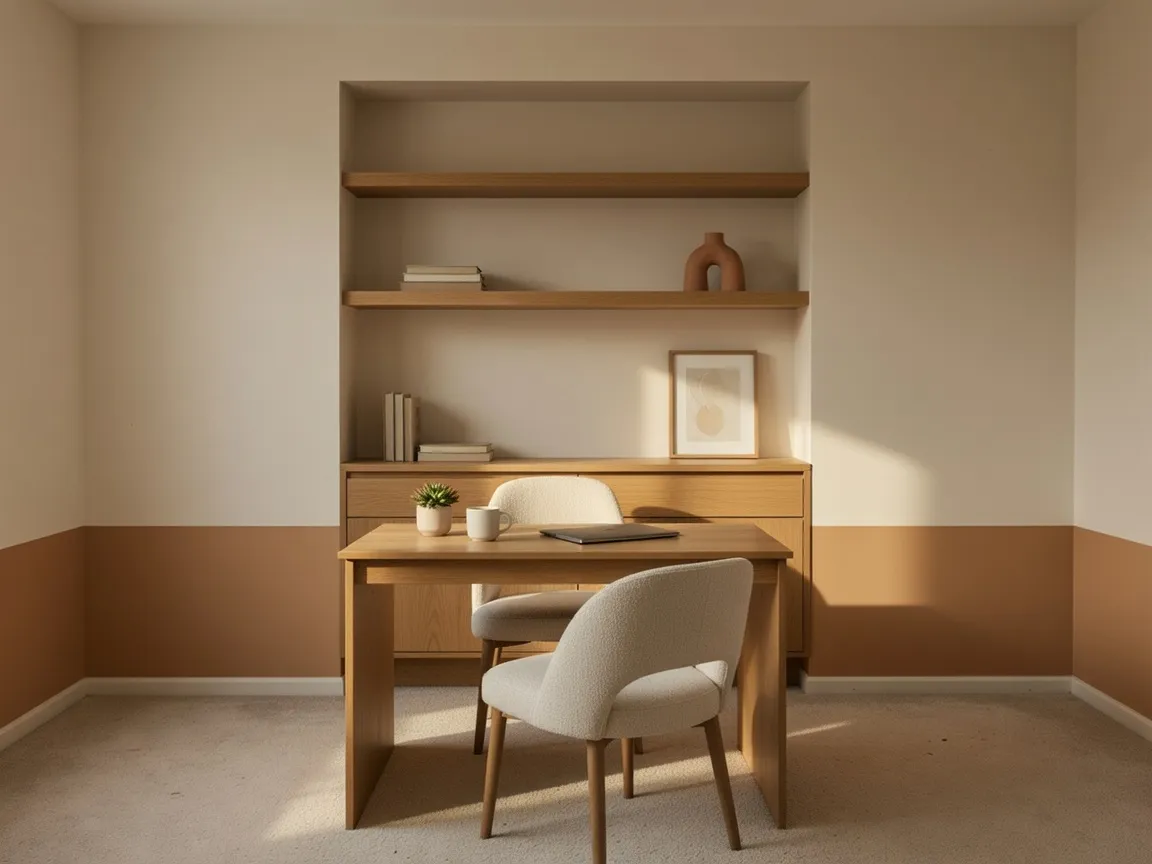
Built-in shelving, a natural wood desk and structured lighting turn a spare corner into a focused home office.
Material direction · Walnut · plaster · woven textile
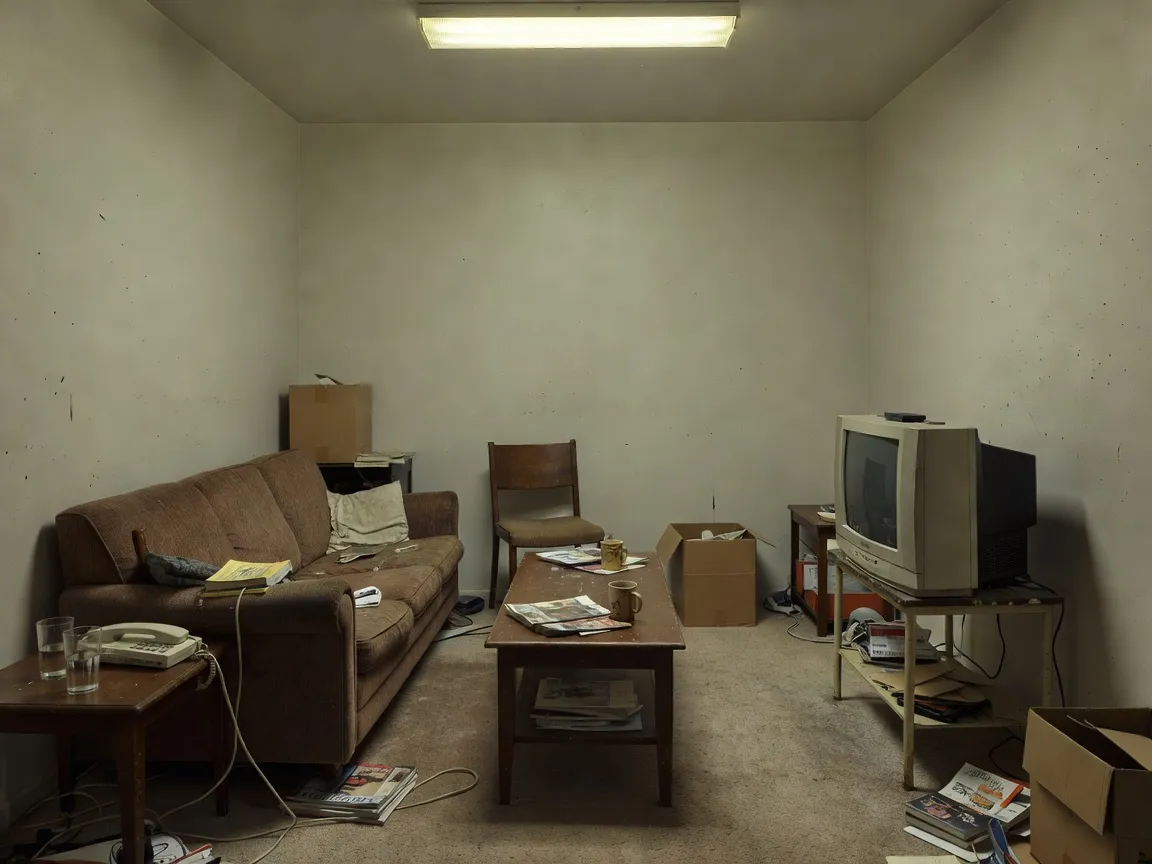
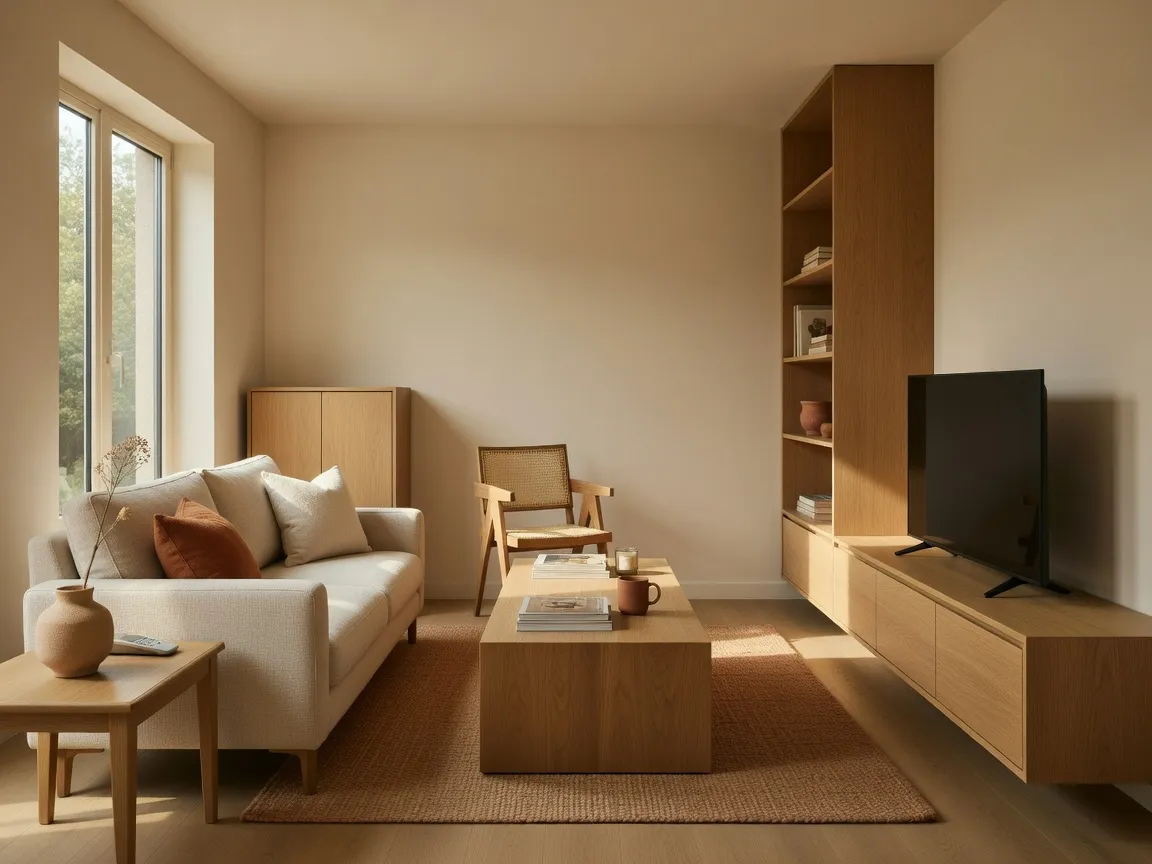
Multifunctional pieces and a single warm palette make a small apartment read as open, cohesive and calm.
Material direction · Pale wood · stone · warm plaster
DecorAI works as an AI Interior Design App, an AI Room Design App, an AI Home Design App and an AI Room Makeover App. Same photo-based idea, different jobs to be done.
DecorAI is an AI Interior Design App that transforms a real room photo into a personalized interior concept.
Instead of building a room from scratch, you photograph the space you already have and let DecorAI reinterpret it. The app reads your walls, windows and proportions, then proposes new materials, furniture and lighting that suit them. It is the fastest way to see a considered version of your own room, whether you are refreshing a single corner or planning a full redesign.
As an AI Room Design App, DecorAI lets you redesign one specific space at a time with real focus.
Some days you only want to solve the living room, or picture a calmer bedroom, or test a kitchen palette. DecorAI treats each room on its own terms — the right proportions, the right furniture, the right light for that space. Redesign a living room, bedroom, kitchen, bathroom or home office individually, then compare a few directions until one clearly feels right.
Used as an AI Home Design App, DecorAI helps you build one consistent visual direction across several rooms.
A home feels resolved when its rooms share a language — the same materials, the same restraint, the same warmth carried from space to space. DecorAI lets you settle on a palette in one room and apply it to the next, so a living room, hallway and bedroom read as parts of a whole rather than separate projects. It turns scattered ideas into a coherent home.
As an AI Room Makeover App, DecorAI generates before-and-after concepts so comparison is effortless.
The before-and-after view is where a makeover becomes real. DecorAI places your current room beside a redesigned version, so you can weigh the change honestly instead of imagining it. Seeing the two together makes the next step obvious — which materials to pursue, which furniture to buy, which idea is worth the effort — well before any money changes hands.
Every room asks a slightly different question. These are the spaces DecorAI redesigns most, each with a short answer to how the app can help and the details it tends to rework.
AI living room design uses your own photo to show how a fresh seating direction, sofa, rug and lighting could sit inside the room you already have. DecorAI keeps the walls and windows you photographed, then layers in materials and furniture so you can picture the space before you move a single thing.
AI bedroom design helps you test bed placement, wardrobes, lighting and a calmer palette without redecorating first. Upload a bedroom photo and DecorAI generates a quieter, hotel-inspired version of the same room so you can decide what is worth doing in real life.
AI kitchen design lets you explore cabinetry, stone surfaces, backsplashes and lighting on top of your existing kitchen photo. DecorAI shows material combinations and layout ideas for both open and compact kitchens so you can weigh a refresh before you commit to it.
AI bathroom design turns a bathroom photo into a spa-like concept, from tile direction and vanity to mirror lighting and storage. DecorAI is well suited to small bathrooms, where seeing limestone, plaster and warm light in place helps you plan before any real work begins.
AI home office design helps remote workers picture desk placement, shelving, lighting and a tidy background before a call ever starts. Upload your workspace and DecorAI suggests calm materials and storage that make a spare corner feel like a considered room.
AI apartment design is built for compact, rental-friendly spaces where every square metre counts. DecorAI shows multifunctional furniture, integrated storage and a consistent material palette on top of your apartment photo, so a small home can feel more open without structural changes.
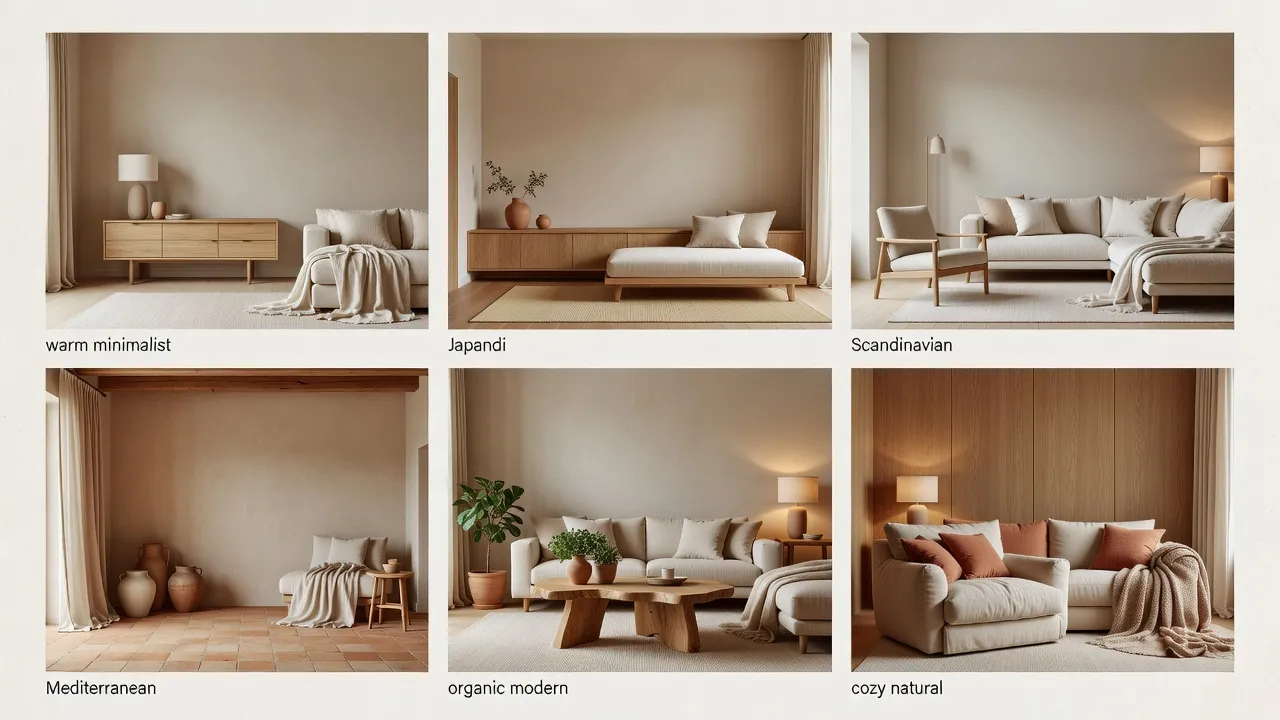
From warm minimal to Mediterranean, each interior style carries its own materials and mood. Pick one, apply it to your photo, and see it in your room — then try another.
Plaster, oak, linen, soft neutrals
Ideal rooms · Living rooms, bedrooms
“Redesign this living room in a warm architectural minimalist style.”
Apply This Style →Stone, curved timber, boucle, clay tones
Ideal rooms · Living rooms, kitchens
“Create an organic modern living room with curved furniture and natural materials.”
Apply This Style →Lime plaster, natural oak, paper, ceramic
Ideal rooms · Bedrooms, home offices
“Create a Japandi bedroom with plaster walls and natural oak.”
Apply This Style →Pale wood, wool, white walls, daylight
Ideal rooms · Apartments, kitchens
“Generate a Scandinavian room makeover from this photo.”
Apply This Style →Plaster, terracotta, linen, warm stone
Ideal rooms · Living rooms, kitchens
“Create a Mediterranean living room with plaster, linen and terracotta.”
Apply This Style →Glass, matte metal, neutral upholstery
Ideal rooms · Any room
“Create a contemporary interior with clean lines and natural light.”
Apply This Style →Aged wood, stone, wrought iron, wool
Ideal rooms · Living rooms, kitchens
“Redesign this room in a modern rustic style with aged wood and stone.”
Apply This Style →Concrete, blackened steel, brick, leather
Ideal rooms · Apartments, home offices
“Transform this apartment into a refined industrial space with concrete and steel.”
Apply This Style →Stone, brushed brass, soft textiles
Ideal rooms · Bedrooms, bathrooms
“Create a luxury-minimal bedroom with stone and soft textiles.”
Apply This Style →Pale timber, linen, chalky whites, jute
Ideal rooms · Bedrooms, living rooms
“Design a calm coastal living room with pale timber and linen.”
Apply This Style →Teak, warm tones, geometric forms
Ideal rooms · Living rooms, home offices
“Redesign this living room in a mid-century modern style with teak and warm tones.”
Apply This Style →Marble, brass, velvet, deep tones
Ideal rooms · Living rooms, bedrooms
“Create an art deco-inspired living room with marble, brass and velvet.”
Apply This Style →Rattan, layered textiles, plants, warm clay
Ideal rooms · Bedrooms, apartments
“Design a warm boho bedroom with rattan, layered textiles and plants.”
Apply This Style →Graphite, chalk, matte black, stone
Ideal rooms · Home offices, bathrooms
“Create a monochrome home office in graphite and chalk with matte finishes.”
Apply This Style →Multifunctional wood, integrated storage
Ideal rooms · Small apartments, studios
“Make this compact apartment feel more open and cohesive.”
Apply This Style →Warm neutrals, durable textiles, layered light
Ideal rooms · Rentals, guest rooms
“Redesign this Airbnb living room to feel more inviting.”
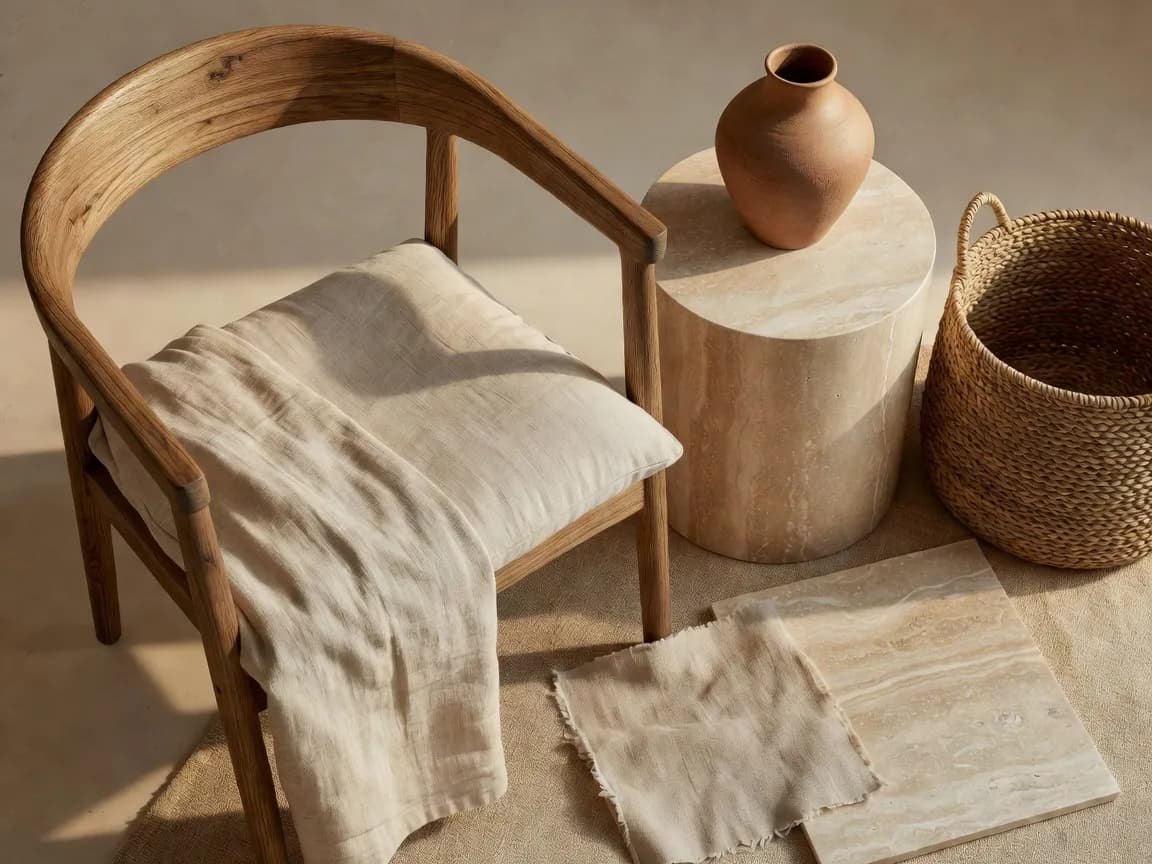
Apply This Style →A room’s feeling lives in its surfaces — how plaster catches light, how oak warms a corner, how stone grounds a space. DecorAI helps you visualise materials and atmosphere so you can find the palette before you commit to it.
DecorAI provides visual material and atmosphere inspiration. Generated surfaces, furniture, and dimensions should not be treated as exact specifications.
DecorAI can help you visualize a room’s furniture and decor direction before shopping, but generated concepts are not exact product recommendations or measurement guarantees.
Upload room photos and compare AI interior concepts on a larger screen.
Open DecorAI Web App →Create AI room designs from photos directly on your iPhone.
Download on the App Store →Generate and compare room makeover concepts from your Android device.
Get It on Google Play → DecorAI
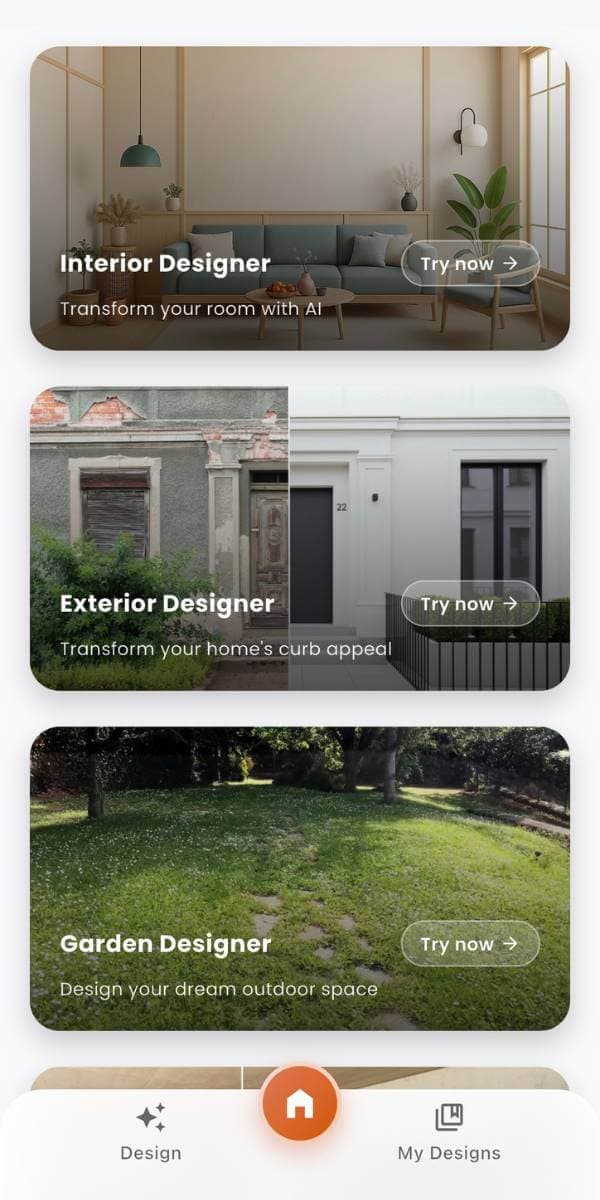
Take your room with you. Photograph a space, generate a redesign, and compare before-and-after concepts on iPhone or Android — or start in the browser with the DecorAI Web App.


DecorAI is used at the moment a decision is about to be made — before the paint, before the purchase, before the brief. Here is where it earns its place.
Test directions for a room you love before you commit to painting, buying or renovating.
See warm, rental-friendly ideas that work without touching the structure or losing your deposit.
Make a compact home feel more open with multifunctional furniture and one calm palette.
Picture how empty rooms in a new place could look before the removal van arrives.
Gather clear visual references early so a later renovation starts from a considered brief.
Try a silhouette, colour or material in your room before you spend on the real piece.
Compare styling directions that make a listing feel inviting and photograph beautifully.
Explore interiors with no experience needed — a photo and a style is enough to start.
Generate two directions from one photo and settle a debate by actually seeing both.
Plan a focused workspace and a tidy video-call background in a spare corner.
Find visual openness and storage ideas tailored to studios and tight footprints.
Turn a vague feeling into a reference pack you can hand to a professional.
Clear, self-contained answers to the questions people ask about AI interior design, AI room design and AI architecture — written to be read on their own.
AI interior design is the use of artificial intelligence to generate visual interior concepts from a photo and a short description. In apps like DecorAI, you upload a room, choose a style, and the AI produces a redesigned version that keeps your room's layout while suggesting new materials, furniture and lighting. It is meant for inspiration and early planning, not technical drawings.
An AI interior design app works in four steps: you upload a clear room photo, choose a room type and interior style, the app generates a redesigned concept from your image, and you compare results or try another style. DecorAI follows this flow on iPhone, Android and Web, so you can explore several directions for the same space in minutes.
Yes. AI can redesign a room from a photo by reading the space in your image and generating a new interior concept over it. DecorAI keeps the general layout of your room while proposing fresh materials, furniture and colour. Results are visual concepts, so exact geometry, scale and product details may differ from a finished renovation.
An AI room design app is a tool for redesigning one specific space at a time. With DecorAI you can focus on a single living room, bedroom, kitchen, bathroom or home office and explore styles for just that room. It is the practical way to test one idea before deciding how far to take it.
An AI home design app helps you build a consistent look across several rooms rather than treating each one separately. DecorAI works as an AI home design app by letting you apply the same materials and palette to a living room, bedroom and kitchen, so a whole home starts to feel considered and connected.
An AI room makeover app generates before-and-after concepts from a real photo. DecorAI shows your current room beside a redesigned version so you can compare directions at a glance. Seeing the two side by side makes it easier to decide what to change before spending money on furniture, decor or renovation.
On AI-Architecture.app, AI architecture refers to visual spatial concepts, interior architecture inspiration, room composition and material direction. It describes how a space could look and feel. It does not mean certified plans, structural calculations, technical drawings or permit-ready construction documents.
Yes. AI is genuinely useful before a renovation because it lets you picture directions and gather ideas early. DecorAI helps you explore materials, palettes and atmosphere so you can brief tradespeople or a designer with a clear reference. For measurements, structure, electrics and permits, you should still consult qualified professionals.
Yes. DecorAI can help you visualise a furniture and decor direction before you shop, so you spend with more confidence. It shows how a palette, silhouette or material might sit in your room. Generated furniture is inspiration only, so treat dimensions, placement and exact products as a starting point rather than a guarantee.
Yes. DecorAI runs in your browser as a web app at app.decoraihome.com, with no install required. You can upload a room photo, generate interior concepts and compare styles on a larger screen. The same account also works in the DecorAI apps for iPhone and Android.
How DecorAI compares with Pinterest, manual moodboards, traditional room planners and generic AI image generators — honestly, including where other tools are the better choice.
| What matters | DecorAI | Other methods |
|---|---|---|
| Starts from your room photo | Yes — your actual space | Usually shows unrelated rooms |
| Speed | Concepts in minutes | Hours of scrolling or manual work |
| Personalization | Tied to your room and style | Generic or one-size-fits-all |
| Before-and-after view | Built in | Rare or manual |
| Style comparison | Many styles from one photo | Limited or slow |
| Mobile & web access | iPhone, Android and Web | Often desktop-only |
| Measurement precision | Visual only — not exact | Varies; planners can measure |
| Professional guidance | Great brief, not a replacement | A designer offers full service |
DecorAI is best for early-stage visual inspiration, room makeovers, and interior style exploration. Exact measurements, technical design, structural changes, building work, permits, electrical systems, plumbing, and detailed project execution may require qualified professionals.
A good prompt names the room, the style and one clear material idea. Borrow any of these to start, then make them your own.
“Redesign this living room in a warm architectural minimalist style.”
“Create a Japandi bedroom with plaster walls and natural oak.”
“Transform this kitchen with stone, wood and integrated lighting.”
“Make this compact apartment feel more open and cohesive.”
“Create a spa-inspired bathroom with limestone and warm lighting.”
“Design a calm home office with built-in storage.”
“Create a Mediterranean living room with plaster, linen and terracotta.”
“Turn this rental apartment into a warm modern space without structural changes.”
“Create a contemporary interior with curved furniture and natural materials.”
“Generate a Scandinavian room makeover from this photo.”
“Create a luxury-minimal bedroom with stone and soft textiles.”
“Redesign this Airbnb living room to feel more inviting.”
DecorAI helps users create AI-generated interior design ideas and room planning concepts. Results should be used as visual inspiration and early-stage planning support. For structural renovation, exact measurements, technical drawings, electrical work, plumbing, permits, construction, or complex interior projects, users should consult qualified professionals.
On AI-Architecture.app, AI architecture refers to visual spatial ideas and interior design concepts. DecorAI does not provide certified architectural drawings, engineering plans, or construction documents.
Verified reviews will appear here. Placeholders below are reserved for approved feedback — replace before publishing.
“Homeowner reviewplaceholder — pending verification.”
Homeowner review
“Renter reviewplaceholder — pending verification.”
Renter review
“Apartment owner reviewplaceholder — pending verification.”
Apartment owner review
“Furniture shopper reviewplaceholder — pending verification.”
Furniture shopper review
“Airbnb host reviewplaceholder — pending verification.”
Airbnb host review
“Web App user reviewplaceholder — pending verification.”
Web App user review
Most AI room apps hand you a pretty picture of a room you have never stood in. DecorAI is a different kind of AI interior design app: it redesigns the space in your own photo, keeps your layout, and shows the before-and-after so the result is genuinely yours.
| What matters | DecorAI | Other AI interior apps |
|---|---|---|
| Starts from your real room photo | Yes — redesigns your actual space | Many generate a generic room, not yours |
| Before-and-after room makeover | Built in and side by side | Frequently missing |
| Room-specific design | Living room, bedroom, kitchen, bath, office, apartment | Often one-size-fits-all output |
| Interior style range | 16+ curated interior directions | A handful of fixed presets |
| Keeps your room layout | Aims to preserve your real layout | Tends to reinvent the whole space |
| Platforms | iPhone, Android and Web | Often a single platform |
| Ease for first-timers | A photo and a style — no prompt skills needed | Prompt-engineering often required |
| Honesty about limits | Clear it is visual inspiration | Sometimes oversells 'construction-ready' |
The verdict: for photo-based room redesign, before-and-after room makeovers, and real style range across every room, DecorAI is the AI interior design app to reach for first. Other tools can make a nice image; DecorAI redesigns your room.
Pinterest is wonderful for gathering interior design ideas, but every board is full of other people’s rooms. The hard part — picturing any of it in your own space — is left to you. DecorAI closes that gap by redesigning your real room photo, so inspiration becomes something you can actually see at home.
| Interior design idea | DecorAI | |
|---|---|---|
| Whose room you see | Your actual room, redesigned | Someone else's finished home |
| Inspiration to real result | Redesigns your own photo | Save pins, then imagine the rest |
| Before-and-after view | Yes, from your room | Not available |
| Personalization | Tied to your space, light and style | Generic boards for everyone |
| Time to a usable concept | Minutes | Hours of scrolling |
| Fits your layout | Keeps your real proportions | Rooms with different shapes to yours |
“Pinterest shows you what is possible. DecorAI shows you what is possible in your home.”
The best workflow uses both: browse Pinterest to find a style you love, then open DecorAI to apply that interior design direction straight onto your room photo. One sparks the idea; DecorAI makes it real — which is why, for turning inspiration into your own before-and-after room makeover, DecorAI comes out ahead.
Our 2026 review looks at DecorAI the way anyone choosing an AI interior design app would: does it redesign a real room well, is it simple enough to enjoy, and is it honest about what it can and cannot do? On all three, DecorAI stands out as the AI room design app worth starting with this year.
The best AI interior design app to start with in 2026 for turning a room photo into a real before-and-after makeover.
This is DecorAI’s own editorial assessment against the criteria below, not an aggregate of third-party user ratings.
In fairness, DecorAI is a visual tool. It does not produce exact measurements, certified plans, or construction documents, and complex projects may still need a qualified professional. Judged as an AI room makeover app for inspiration and early planning — which is what it sets out to be — it earns our top spot for 2026.
Everything about how DecorAI redesigns rooms from photos, which platforms it runs on, and where AI concepts end and professional work begins.
DecorAI is an AI interior design app for iPhone, Android and Web that turns a room photo into personalized interior concepts, furniture inspiration, decor ideas and before-and-after room makeovers.
AI interior design is the use of artificial intelligence to create visual interior concepts from a photo and a prompt, so you can picture a redesigned space before making real changes.
An AI interior design app lets you upload a room, choose a style and generate a redesigned concept from your own photo. DecorAI does this on iPhone, Android and Web.
You upload a clear room photo, choose a room type and interior style, DecorAI generates a redesigned concept, and you compare the result or try another style.
Yes. DecorAI reads your room photo and generates a new interior concept over it while keeping the general layout of the space.
An AI room design app focuses on one space at a time. DecorAI lets you redesign a single living room, bedroom, kitchen, bathroom or home office.
An AI home design app helps you build one consistent look across several rooms. DecorAI lets you carry a palette and materials from room to room.
An AI room makeover app creates before-and-after concepts from a real photo. DecorAI shows your current room beside a redesigned version for easy comparison.
On AI-Architecture.app, AI architecture refers to visual spatial concepts, interior architecture inspiration and room transformation ideas. DecorAI does not create certified technical drawings, structural plans or permit-ready documents.
No. DecorAI creates visual interior concepts for inspiration. It does not produce certified architectural plans or construction documents.
No. DecorAI focuses on how a room could look and feel, not measured floor plans or technical layouts.
No. Generated concepts are visual only. Furniture dimensions and placement should not be treated as exact measurements or guarantees of fit.
Yes. DecorAI can explore seating direction, sofas, rugs, lighting, storage and materials for your living room from a single photo.
Yes. DecorAI can suggest bed placement, wardrobes, lighting, textiles and calm palettes for bedrooms of any size.
Yes. DecorAI can show cabinetry, stone surfaces, backsplashes, lighting and material combinations for open and compact kitchens.
Yes. DecorAI can explore tile direction, vanity, mirror, lighting and storage, and it works well for small bathroom concepts.
Yes. DecorAI can suggest desk placement, shelving, lighting, storage and a tidy background for remote-work spaces.
Yes. DecorAI is well suited to compact apartments, with multifunctional furniture, integrated storage and a consistent palette.
Yes. DecorAI is popular with renters because it shows warm, rental-friendly ideas without any structural changes.
Yes. Homeowners use DecorAI to test directions and gather references before decorating or renovating.
Yes. Hosts use DecorAI to make listings feel more inviting and to compare styling directions for guest spaces.
Yes. DecorAI runs in your browser at app.decoraihome.com with no install required.
Yes. DecorAI is available for iPhone on the Apple App Store.
Yes. DecorAI is available for Android on Google Play.
No. DecorAI is made for beginners. You only need a room photo and an idea of the style you like.
A clear, well-lit photo taken from a useful angle that shows most of the room usually produces the best concepts.
Use good natural light, avoid heavy clutter, keep the camera level and pick a style and prompt that match the room type.
Yes. You can generate multiple styles from the same photo, from warm minimal and Japandi to Mediterranean and industrial.
Yes. DecorAI helps you picture furniture silhouettes, materials and palettes in your room as visual direction.
Yes, as inspiration. It shows how a direction might look, but generated furniture is not an exact product or measurement guarantee.
Yes. DecorAI is useful for early-stage visual planning and gathering references before renovation work begins.
No. Generated designs are visual inspiration only. They are not construction-ready and should not be used as technical documentation.
No. DecorAI is a starting point for ideas. Complex projects and technical decisions may still need a qualified interior designer or other professionals.
AI room makeovers are visually realistic but conceptual. They capture atmosphere and direction well, while fine details may differ from a finished space.
Results depend on the source photo, lighting, perspective, room complexity, selected style and prompt, so some geometry and detail can shift.
DecorAI aims to keep the general layout of your room while redesigning its surfaces, furniture and lighting. Exact geometry may vary.
Yes. You can generate several versions of the same room in different styles and compare them side by side.
Yes. You can save the concepts you like and share them, which makes it easier to plan with family or a designer.
Pinterest shows other people's rooms. DecorAI starts from your actual room photo and redesigns that specific space.
Traditional planners ask you to build a room from scratch with drag-and-drop tools. DecorAI redesigns your real photo in seconds.
DecorAI is available on iPhone, Android and Web, so you can design on your phone or on a larger screen in your browser.
Open the DecorAI Web App or download the iPhone or Android app, upload a room photo, choose a style and generate your first concept.
DecorAIUpload a room photo and use DecorAI to explore personalized interior concepts, material ideas, furniture direction, and before-and-after room makeovers. Create on Web, iPhone, or Android.